
 InvestSheet
Portfolio tracking in Google Sheets™Portfolio tracking in Google Sheets™
Bring supported connected brokerage holdings into Google Sheets with custom formulas. Keep your own layout and notes. Formulas read cached data; connection availability varies.Bring supported connected brokerage holdings into Google Sheets with custom formulas. Keep your own layout and notes. Formulas read cached data; connection availability varies.
How It Works
01
Install
Add InvestSheet from Google Workspace™ Marketplace
02
Connect
Securely link your brokerage accounts via OAuth
03
Track
Use custom formulas to pull data into your sheets
See It In Action
Try It Live
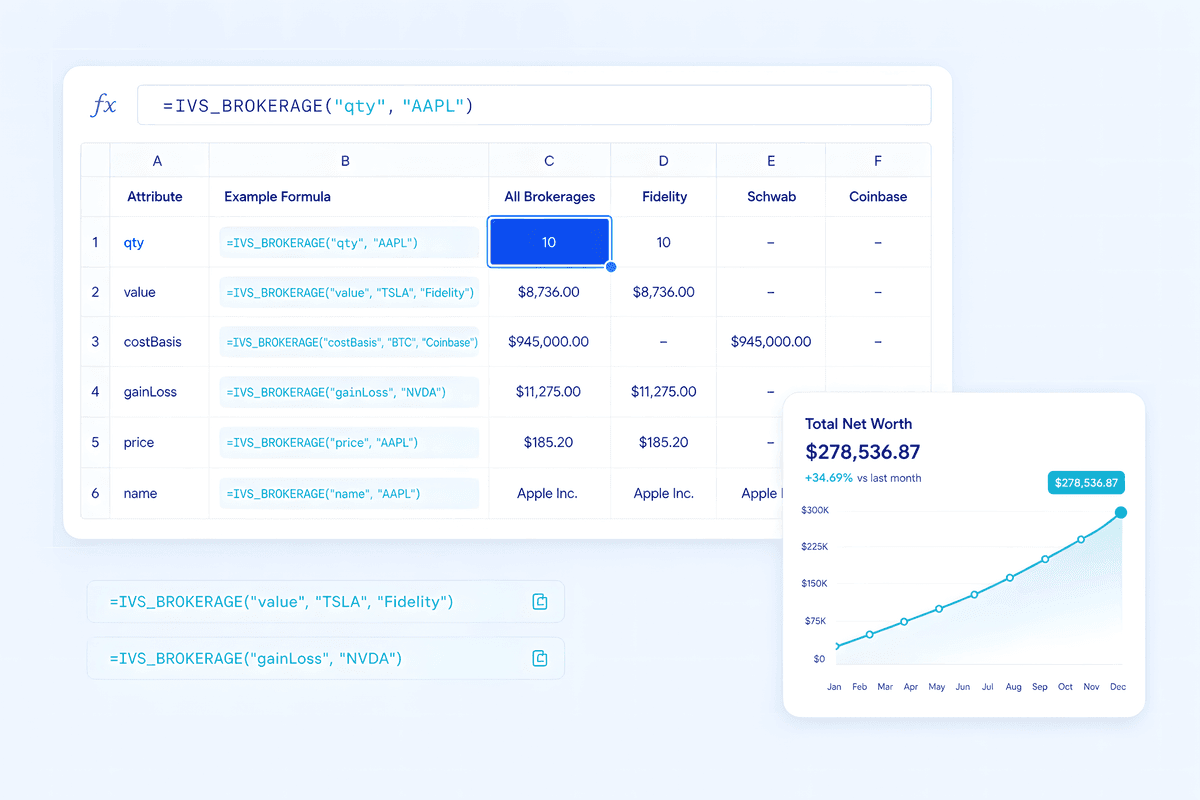
Hover any cell to see the IVS_BROKERAGE() formula — aggregated rows show how to compose per-account formulas with +
Total Value
$32,697
Positions
5
Accounts
3
Gain/Loss
+$3,624
Data Source
Live brokerage
Simple Formulas
=IVS_BROKERAGE("price", "AAPL")Price of AAPL across all accounts=IVS_BROKERAGE("value", "AAPL")Total value of AAPL holdings=IVS_BROKERAGE("value", "", "Fidelity")Total value in Fidelity accounts=IVS_BROKERAGE("value")Total value of all holdings=IVS_BROKERAGE("qty", "AAPL")Quantity of AAPL shares owned=IVS_BROKERAGE("gainLoss", "AAPL")Gain/loss on AAPL positionSupported Brokerages
FidelityCharles SchwabRobinhoodVanguardTD AmeritradeE*TRADEWebullAlpacaInteractive BrokersAnd more...
Ready to track your portfolio?Ready to track your portfolio?
$9.99/mo • 14 days free trial • 20% off annual